Canva Templates Pizza Menus: Modern Design for Your Pizzeria
Running a pizzeria means you're already juggling a dozen things at once. You're perfecting dough recipes, managing staff, keeping inventory stocked, and making sure every customer leaves happy. The last thing you need is to spend hours wrestling with complicated design software just to update your menu. That's where a well-crafted Canva Templates Pizza Menus package comes in, offering a practical shortcut to professional-looking marketing materials without the steep learning curve or the hefty price tag of hiring a designer for every small change.
What You're Actually Getting
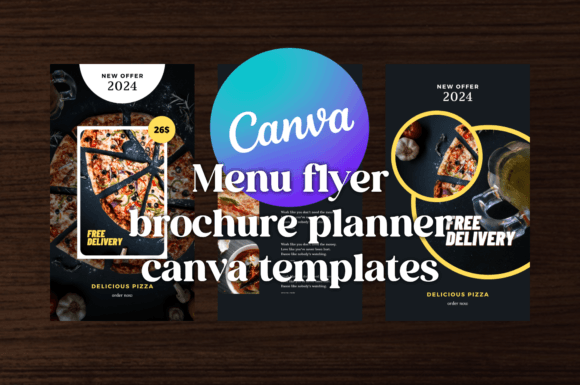
This particular template set delivers three contemporary modern layout designs built around a dark blue and orange color scheme. That color combination works harder than you might initially think. Dark blue communicates trust, reliability, and a certain quiet confidence. Orange brings warmth, appetite stimulation, and energy. Together, they strike a balance between approachable and polished, which is exactly the impression most pizzeria owners want to make. The designs aren't overly trendy or gimmicky, so they won't feel dated six months from now, but they also don't look generic or templated in the way that many free options do.
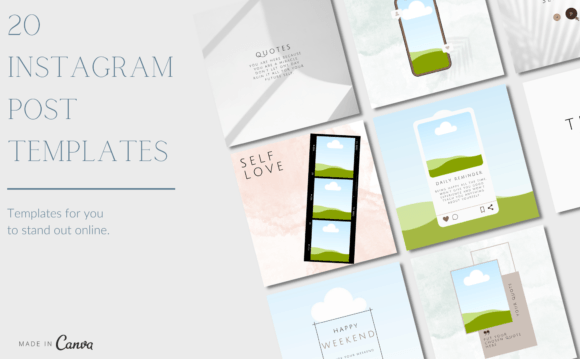
The package includes formats for flyers, menus, brochures, advertising pieces, social media stories, and more. You get PDF, PNG, and editable Canva links, which means you have flexibility in how you use and distribute the final product. Whether you need a printed menu for dine-in customers, a digital flyer for a weekend special, or an Instagram story announcing a new topping combination, these templates cover the common touchpoints where your customers interact with your brand.
Why the Dark Blue and Orange Theme Works
Color psychology in food marketing isn't just academic theory. Walk into any successful fast-casual restaurant and you'll notice deliberate color choices. The dark blue in these templates grounds the design, giving it a sense of establishment and credibility. It reads well in both digital and print formats, maintaining its richness whether it's on a phone screen or a heavy cardstock menu. The orange accents draw the eye naturally toward key information—prices, featured items, call-to-action text, or limited-time offers. This kind of intentional contrast creates a natural visual hierarchy without requiring you to understand typographic scale or grid systems.
For a small business owner who isn't a trained designer, this built-in color strategy is genuinely valuable. You don't need to research complementary palettes or worry about whether your text will be legible against the background. The template maker has already made those decisions based on how color functions in real-world marketing and print design contexts.
Editing Without the Headache
The biggest practical advantage here is accessibility. Canva operates on a freemium model, so you only need to create a free account to start working with the templates. The drag-and-drop interface means you can swap out text, adjust images, and tweak layouts without watching a single tutorial. For a busy restaurant owner, that matters. You might need to change a price on Tuesday, add a seasonal pizza on Thursday, and create a promotional flyer by Saturday. With these templates, those updates take minutes rather than hours.
That said, a few practical observations are worth sharing. When you open the template, resist the urge to overhaul everything. The layouts have been designed with specific proportions and spacing for a reason. Change the text, swap in your own food photography if you have it, and adjust the contact details. If you want to replace the placeholder images, use high-resolution photos with consistent lighting. A beautifully designed menu template can be undermined quickly by blurry, poorly lit pizza photos. The template gives you the design assets and structure, but the quality of your own content still plays a significant role in the final result.
Where These Templates Fit Best
Think beyond the obvious. Yes, the primary use case is a pizza menu, but the underlying design system adapts well to several scenarios. A food truck could use the flyer format for street-side advertising. A catering company could repurpose the brochure layout for event proposals. A food blogger could use the social media story templates to promote recipe posts or restaurant reviews. The dark blue and orange palette is versatile enough to work across these contexts without feeling out of place.
For entrepreneurs and small business owners, consistency across marketing materials builds brand identity more effectively than any single design choice. When your in-store menu, your Instagram posts, and your printed flyers all share the same visual language—same colors, same general layout approach, same tone—customers start to recognize you. That recognition compounds over time. It's not about being the most creative or innovative design on the block. It's about showing up consistently and professionally across every place your customers encounter you.
Print and Digital Considerations
The inclusion of PDF and PNG formats is a practical detail that deserves attention. PDF files maintain resolution and layout integrity when sent to a print shop, which means you won't get that frustrating phone call about fonts not loading or images appearing pixelated. PNG files work well for digital distribution—email attachments, website downloads, or quick social media posts. The editable Canva link is the living document, the one you return to whenever something changes.
One thing to keep in mind with print design: always request a proof before committing to a large print run. Colors can shift between screen and paper, especially with oranges and deep blues. A small test batch lets you verify that the final printed product matches what you see on your monitor. This is standard practice in packaging design and editorial design, and it applies equally to restaurant marketing materials.
Making It Your Own
Templates are starting points, not finished products. The real value of Canva Templates Pizza Menus lies in how efficiently they get you from zero to a professional-looking piece. Once you have that foundation, small personal touches make the difference. Maybe that's adding your restaurant's tagline, incorporating a custom illustration of your storefront, or adjusting the layout to accommodate your specific menu structure. The templates provide the framework and the visual polish, but your personality and your food are what ultimately connect with customers.
For content creators, bloggers, and marketers in the food space, these templates also serve as useful reference points for understanding modern typography and layout principles. Studying how the text is organized, how white space is used, and how visual hierarchy guides the reader's eye can inform your own design decisions across future projects. Good templates teach you something about design even as they save you time.