Paradise Digital Note Templates: Your All-in-One Study System
As someone who has spent years managing content calendars and designing brand assets, I know the friction of switching between apps or hunting for the right stationery. You need a system that feels cohesive but offers enough variety to keep your brain engaged. That is exactly what Paradise Digital Note Templates delivers. It is not just a collection of PDFs; it is a comprehensive visual environment designed to organize your thoughts, schedule, and creative projects. With a massive set of 420 individual files, this package solves the problem of visual monotony while maintaining a strictly professional standard.
A Visual System Built for Clarity
The strength of this collection lies in its thoughtful visual hierarchy. We are not looking at cluttered designs here. These templates utilize modern typography principles to ensure that the content you add remains the hero. The layout is clean, utilizing ample white space and grid systems that make sense for both quick note-taking and detailed planning. Whether you prefer a structured daily log or a free-flowing brainstorming session, the underlying design supports your workflow without getting in the way.
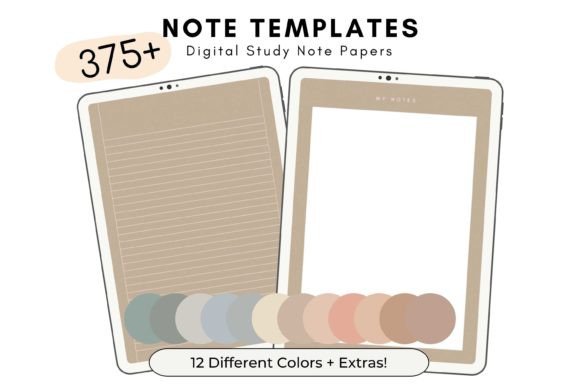
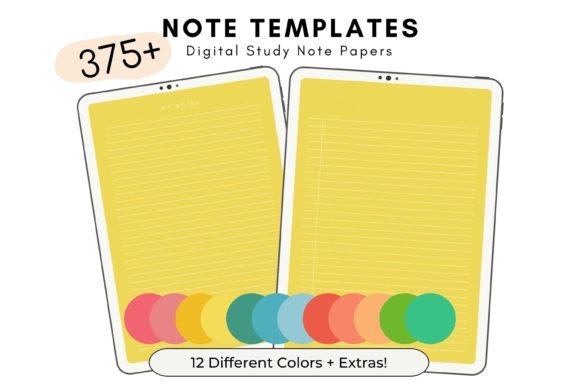
What makes the Paradise Digital Note Templates particularly versatile is the color palette. You have 12 distinct shades to choose from. This is a strategic advantage for anyone managing multiple projects. For example, you might use the "Ocean" shade for client work and the "Forest" shade for personal journaling. This color-coding system allows for instant visual recognition, helping you switch mental gears faster. It is a practical application of color theory applied to digital goods, turning a simple notebook into a sophisticated brand identity tool for your personal organization.
Integration with Your Favorite Apps
These are optimized for GoodNotes and similar PDF annotation apps. Because they are individual PDFs rather than one massive, unwieldy file, the performance is snappy. You do not have to wait for a heavy document to load just to get to page 50. This modular approach to digital design assets is something I always look for when recommending tools to clients. It respects the user's time and device storage. Plus, the US Letter Size (8.5 x 11 inches) ensures that if you ever need to print a specific page for a meeting or a mood board, the formatting will translate perfectly to physical paper.
Practical Applications for Professionals
For the entrepreneur or marketer, consistency is key to productivity. Using these templates helps build a habit of organization. The included weekly planner and to-do list templates are essential for project management. They provide enough structure to keep you on track but enough flexibility to accommodate the chaos of a busy work week. I often advise using these types of structured templates to reduce cognitive load; when you don't have to decide how to format your list, you can focus entirely on the tasks at hand.
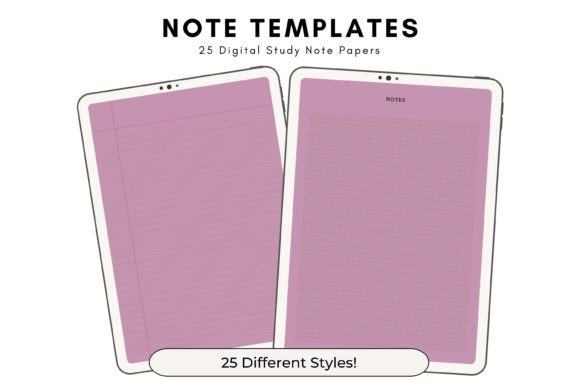
Designers and content creators will appreciate the variety of the 33 different styles. Sometimes a lined page is too restrictive, and a blank page is too intimidating. This set includes dot grids, graph paper, and various margins that cater to sketching, wireframing, and mind mapping. It acts as a low-fidelity prototyping tool. You can mock up a quick web design layout or draft social media graphics directly within your note-taking app before moving to high-fidelity software.
Beyond Basic Note-Taking
Do not limit these files to just text. Because they are PDFs, they are excellent for layering. You can import images, stickers, and digital washi tape to create rich, multimedia journals. This is particularly popular in the crafting and hobbyist communities. However, for the small business owner, this layering capability allows you to create visual business plans or mood boards that feel tactile and engaging. The 10 bonus notebook covers included in the ZIP file allow you to bind these pages into distinct "books" within your app, creating a library of organized knowledge.
Evaluating the Value Proposition
When evaluating design assets, I always look at the cost-per-use versus the value delivered. With unlimited use rights, these templates are a one-time investment that scales with you. Whether you are a blogger planning 50 articles or a student taking notes for four years, the supply does not run out. The "Paradise" aesthetic is professional enough for commercial use scenarios—like client presentations—but personal enough for private reflection.
The visual personality of these templates is calm and collected. In a digital world that is often noisy and aggressive, having a serene visual space to think is a luxury. The Paradise Digital Note Templates provide that sanctuary. They bridge the gap between the tactile satisfaction of paper and the efficiency of digital organization. For anyone serious about streamlining their creative or professional process, this set is a foundational tool that supports growth, organization, and visual clarity.