Running Keynote Templates: A Flexible Toolkit for Modern Presentations
When you’re building a presentation, the template you choose is your silent partner. It sets the tone before you even speak. Running Keynote Templates is designed to be a versatile partner—one that feels both polished and adaptable. It’s not just about looking good on a slide; it’s about creating a cohesive story that feels professional, whether you’re pitching to investors or sharing a creative portfolio. The visual style here leans into clean geometry and balanced whitespace, with a personality that’s confident but not loud. It’s the kind of design that lets your content breathe while still guiding the viewer’s eye exactly where it needs to go.
A Design That Adapts to Your Needs
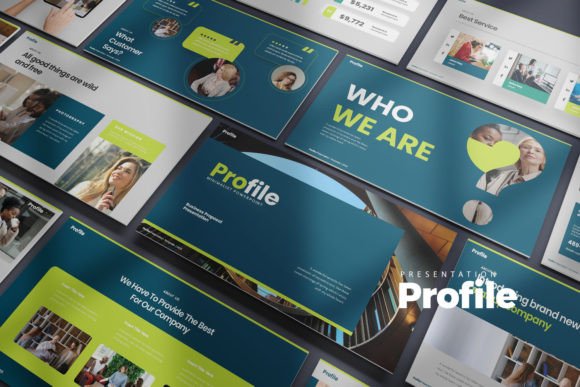
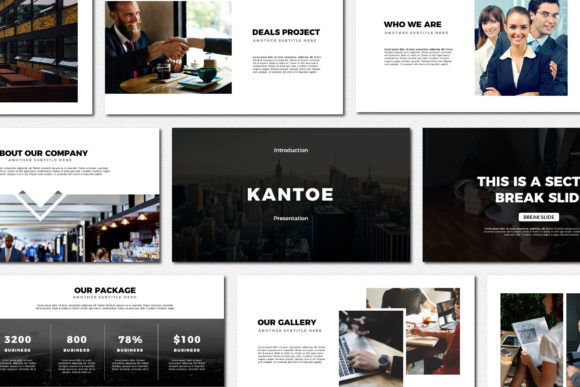
What makes this template stand out is its structured flexibility. You get 30 unique slides across 6 Keynote files, totaling 180 slides to work with. That’s not just quantity—it’s thoughtful variety. The 16:9 aspect ratio is standard for modern displays, so your presentation will look sharp whether you’re in a boardroom or streaming online. The 3 color schemes on both white and dark backgrounds give you immediate options to match your brand’s mood. A dark background can feel dramatic and focused; a white one feels open and approachable. Having both ready to go means you can switch contexts without redesigning from scratch.
The real value here is in the details. Every element is fully editable—charts, icons, layouts. If you need to adjust a graph, you can edit the data directly in Excel, and the visual updates in Keynote. That kind of integration saves hours, especially when you’re working with dynamic information. The vector icons are scalable without losing quality, which is crucial for maintaining clarity on large screens or in printed handouts. And the image placeholders make it easy to drag in your own photos without fussing with alignment or sizing. It’s built for people who want to focus on their message, not on fighting with formatting.
Where This Template Truly Shines
Think about the projects where presentation matters most. A startup pitch deck needs to feel innovative yet trustworthy. A corporate quarterly report should be clear and data-driven. A creative agency portfolio might need to showcase bold visuals without distracting from the work. Running Keynote Templates handles all these scenarios because its design is neutral enough to adapt but distinctive enough to feel intentional. The clean lines and modern typography help maintain visual hierarchy, so your key points stand out naturally. This isn’t a template that tries to be everything through flashy effects—it earns its flexibility through solid design fundamentals.
For brand identity work, consistency is everything. When your presentation aligns with your logo, website, and marketing materials, it reinforces recognition. This template’s structured layouts make it easy to maintain that consistency across slides. The font pairing suggestions in the documentation help you choose typefaces that complement each other, ensuring readability whether you’re using a sans serif font for body text or a display font for headings. That attention to typographic detail elevates the entire deck from a series of slides to a cohesive design asset.
Practical Guidance for Using This Template
Before you dive in, take a moment to review the documentation & quick guide file included. It outlines how to install the free fonts used—this is a step you shouldn’t skip, as missing fonts can break the layout. The template is designed for Keynote, so if you’re coming from PowerPoint, allow a little time to adjust to the interface. Once you open the file, start by selecting a color scheme that matches your brand palette. From there, replace the placeholder content with your own text and images. Use the editable charts to visualize your data accurately—don’t just keep the sample numbers.
One of the strengths of Running Keynote Templates is how it handles visual hierarchy. Use the pre-designed layouts to structure your information logically. A slide with a large image and minimal text works well for storytelling; a slide with a chart and bullet points is better for detailed analysis. Don’t feel locked into the exact order—rearrange slides to fit your narrative flow. The template is a starting point, not a rigid framework. If you’re presenting to a corporate audience, lean into the cleaner, more minimal slides. For a creative audience, you might use more of the image-focused layouts to showcase work.
Remember, stock photos are not included, so you’ll need to source your own images. Use high-quality, relevant photos that support your message. The image placeholders are sized for common aspect ratios, so cropping should be minimal. If you’re using icons, the vector icons included can be resized and recolored to fit your needs. Keep your color usage consistent—stick to the scheme you chose at the start to maintain a professional look throughout.
Finally, test your presentation on the device you’ll be using. Check that fonts render correctly, that charts are legible, and that animations (if you add any) are smooth. The goal is a seamless experience for your audience. Running Keynote Templates gives you the tools; your content and delivery bring it to life. Whether you’re a designer, entrepreneur, or marketer, this template is built to support your work without overshadowing it. It’s a practical, reliable foundation for any presentation where clarity and professionalism matter.