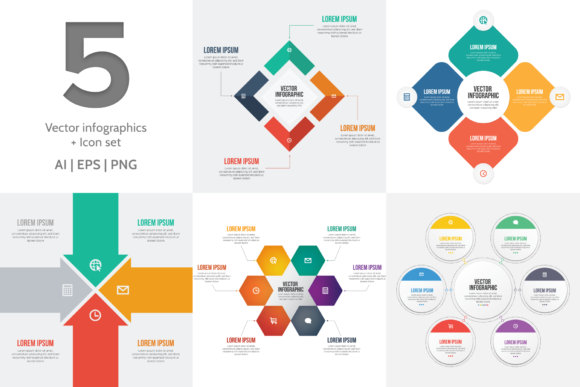
Vector Infographic Templates: Visual Storytelling Made Simple
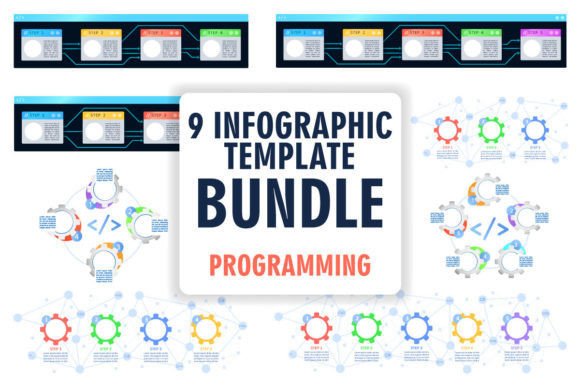
Every designer, marketer, or small business owner faces the same challenge: how to turn complex information into something people actually want to read. Data and statistics are valuable, but walls of text overwhelm audiences. This is where Vector Infographic Templates and Icons step in as a practical solution. Rather than starting from a blank canvas, these ready-made design assets give you a structured, professional foundation to present information visually. The collection includes five distinct vector infographic templates along with a complementary icon set, providing the core elements needed for clear, engaging visual communication.
What Makes These Infographic Templates Stand Out
The five templates in this set each serve a different storytelling purpose. Some are built for comparing data points side by side, while others guide viewers through a process or timeline. The visual style leans clean and modern, with balanced whitespace and logical flow. This approach avoids the trap of over-designed templates that prioritize decoration over clarity. Each template arrives in both AI and EPS formats, which means full editability in Adobe Illustrator or compatible vector software. You can adjust colors, resize elements, swap icons, and rework layouts without losing quality. A PNG version of each infographic is also included for quick use when editing software is not available or when you need a fast export for social media graphics or presentations.
The accompanying icon set deserves attention too. Icons function as visual shorthand. A well-chosen icon next to a statistic or step in a process helps readers absorb information faster. This set pairs naturally with the infographic templates, maintaining a consistent visual language across your entire project. Consistency is one of the most underrated elements in professional design work. When your icons, typography, and layout feel unified, audiences trust the content more readily.
Practical Applications Across Industries
Think about the range of projects where clear visual data presentation matters. A marketing agency pitching a campaign strategy to a client can use an infographic to summarize audience research. A blogger writing about industry trends can embed a well-designed chart to break up a long article and improve engagement. A small business owner creating a one-page sales sheet for a trade show needs something polished but does not have the budget for a custom design from scratch. These vector infographic templates serve all of these scenarios and more.
In editorial design, infographics act as visual anchors that hold a reader's attention through dense content. In packaging design, simplified data visuals can communicate product benefits or sourcing information at a glance. For web design, responsive infographics embedded in landing pages or blog posts increase time on page and reduce bounce rates. Social media graphics built from these templates perform well because the structured layouts translate naturally to platforms like Instagram, LinkedIn, and Pinterest where visual clarity drives engagement.
Typography and Readability Considerations
One practical detail worth noting: all fonts in these templates have been converted to curves. This means you will not encounter missing font warnings when opening the files. It also means you can delete existing text and add your own content immediately. The original fonts used in the presentation are Bebas Neue and Roboto. Bebas Neue is a condensed sans serif font often used for headlines and bold statements. Roboto is a versatile sans serif font that works well for body text and smaller labels. Together, they create a clean, modern typography pairing that balances impact with readability.
When customizing your infographics, keep readability at the forefront. Infographics succeed when viewers can scan them quickly and grasp the main points without effort. Use larger text for key statistics or headlines. Reserve smaller text for supporting details. Maintain adequate spacing between elements so the design does not feel cramped. If you decide to swap fonts, test your chosen typeface at the actual size it will appear. A premium font that looks elegant at large display sizes may lose legibility when reduced to caption text on an infographic.
Choosing the Right Template for Your Project
Before selecting a template, define the story you need to tell. Are you comparing two or three options? Presenting a timeline? Highlighting statistics? Each of the five templates serves a different structural purpose, so matching the layout to your content type saves significant editing time. Evaluate the visual personality of each option against your brand identity. A tech startup might prefer a template with geometric shapes and cooler tones, while a wellness brand might gravitate toward softer layouts with organic curves.
Test font pairings if you plan to customize the typography beyond what is included. A script font or handwritten font can add warmth to a headline but should never replace the clear sans serif text that carries your data. Display fonts work well for titles and section headers within an infographic, but body text and labels demand legibility above all else. Modern typography principles emphasize hierarchy, so use weight, size, and color to guide the viewer's eye from the most important information down to supporting details.
Building a Consistent Visual System
The real strength of a resource like Vector Infographic Templates and Icons lies in building a repeatable visual system. When you establish a consistent color palette, icon style, and typographic approach across multiple infographics, your audience begins to recognize your content instantly. This recognition builds trust and strengthens your brand identity over time. Whether you are a freelance designer building a client library, a content creator producing weekly blog graphics, or a publisher developing educational materials, having reliable design assets on hand accelerates your workflow and elevates the quality of your output.
These templates are commercial-ready, meaning you can use them in client projects, products for sale, and branded materials without licensing concerns. That flexibility makes them a worthwhile addition to any designer's toolkit. Rather than spending hours constructing infographics from scratch, you can focus your energy on the content and strategy that actually move your audience. Good design should never be a barrier to clear communication, and with the right templates, it does not have to be.